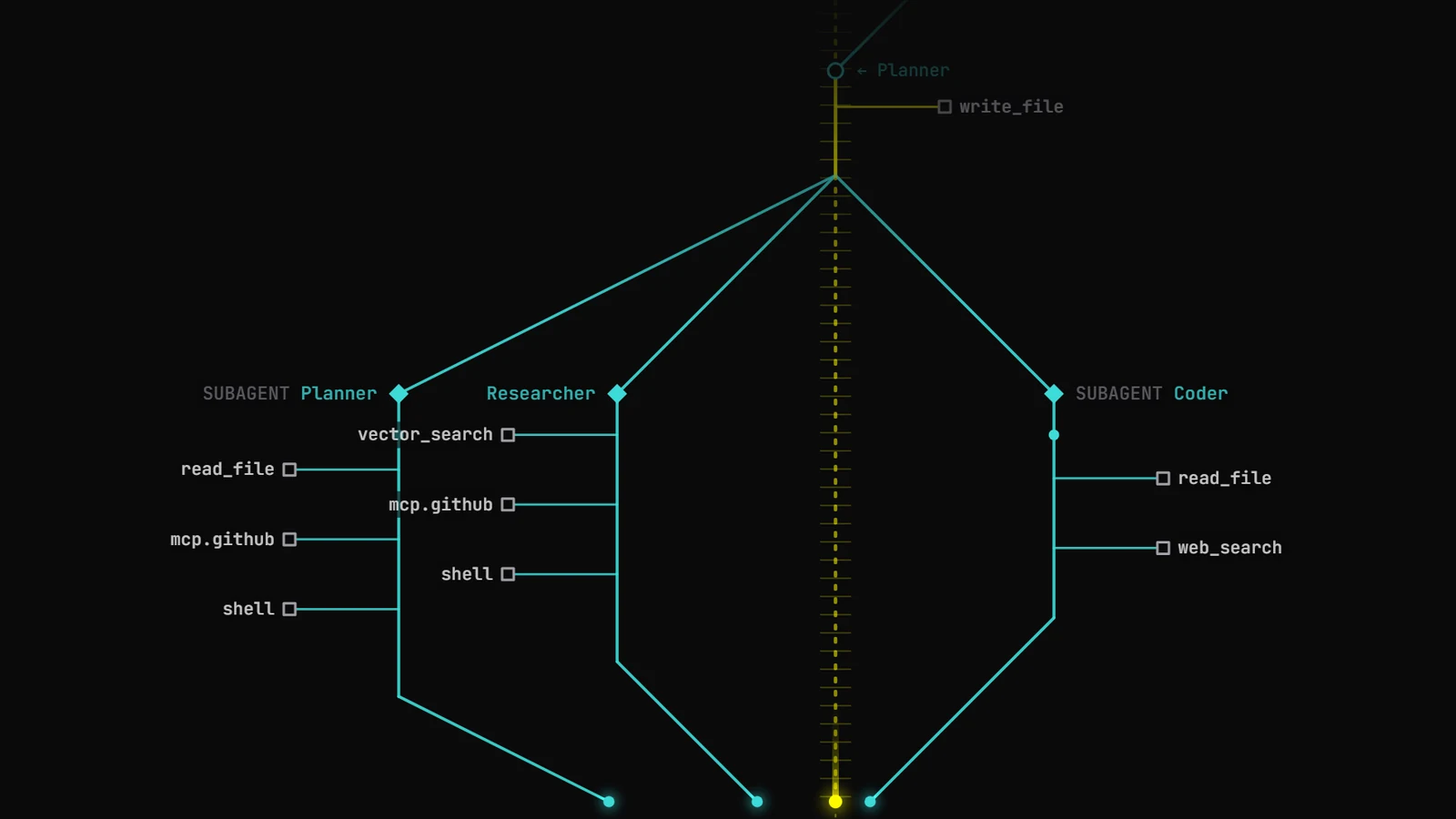
Railtracks is the agent framework I designed and built at Railtown AI. It is open source under the MIT license and runs on Python 3.10 and later. The home page of this site opens on what it does: a main agent that calls tools, hands work to subagents in lanes of their own, and takes their results back.
The problem
Most agent frameworks are easy to start with and hard to live with. The first demo takes ten minutes. Then something goes wrong in production, and the only way to learn what the framework did on your behalf is to read its source.
The approach
Every piece of an agent is an ordinary Python object that you assemble yourself. A tool is a function, an agent is a model, a system message and a list of tools, and a flow runs it. Branching and looping are if and for, so a breakpoint in a tool works the way it does anywhere else.
import railtracks as rt


@rt.function_node
def word_count(text: str) -> int:
    """Count words in text."""
    return len(text.split())


TextAnalyzer = rt.agent_node(
    "Text Analyzer",
    tool_nodes=[word_count],
    llm=rt.llm.OpenAILLM("gpt-6-luna"),
    system_message="You analyze text using the available tools.",
)

flow = rt.Flow(name="Text Analysis", entry_point=TextAnalyzer)
print(flow.invoke("How many words are in 'the quick brown fox'?").content)
The framework is organised around the harness: the loop, the tools the agent can reach, what lands in its context, the limits on what it may do, and the record of what it did. Models change every few months; the harness is what you keep, so it is the part Railtracks hands to you rather than hides.
The record
Agents fail in ways a stack trace does not explain: the wrong tool, the right tool with the wrong argument, a stop one step early. Railtracks records each run by default and railtracks viz replays it locally. To look at a run without installing anything, drop its log into the Run Viewer on this site, which draws it with the same visualizer.
The longer introduction is in the post Railtracks: build your own agent harness in plain Python.